I Wanted a Specific AI Video Shot. So I Started Building a Virtual Set.
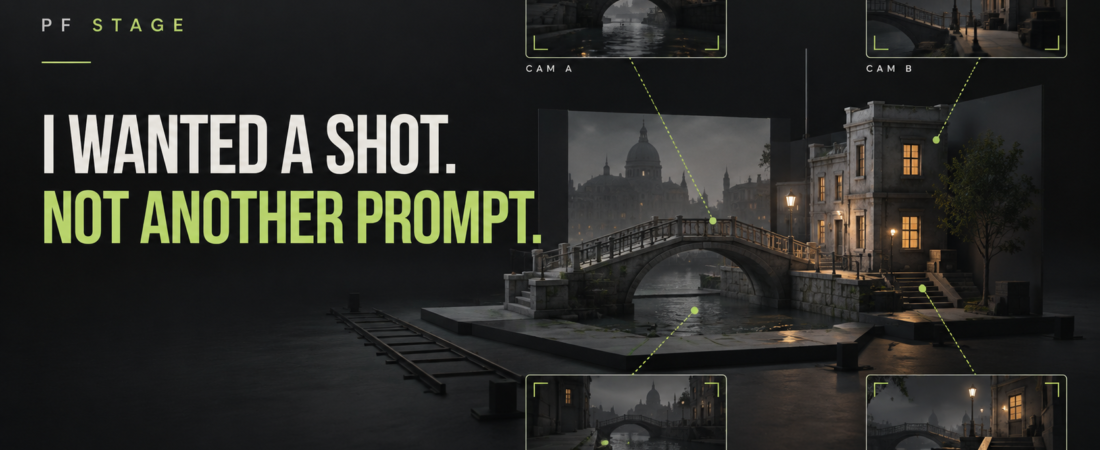
I only wanted to make a promo video for PROMPT FAVORITES. Somewhere along the way, I started building PF Stage—a tool for setting the camera myself instead of trying to explain every angle in a prompt.
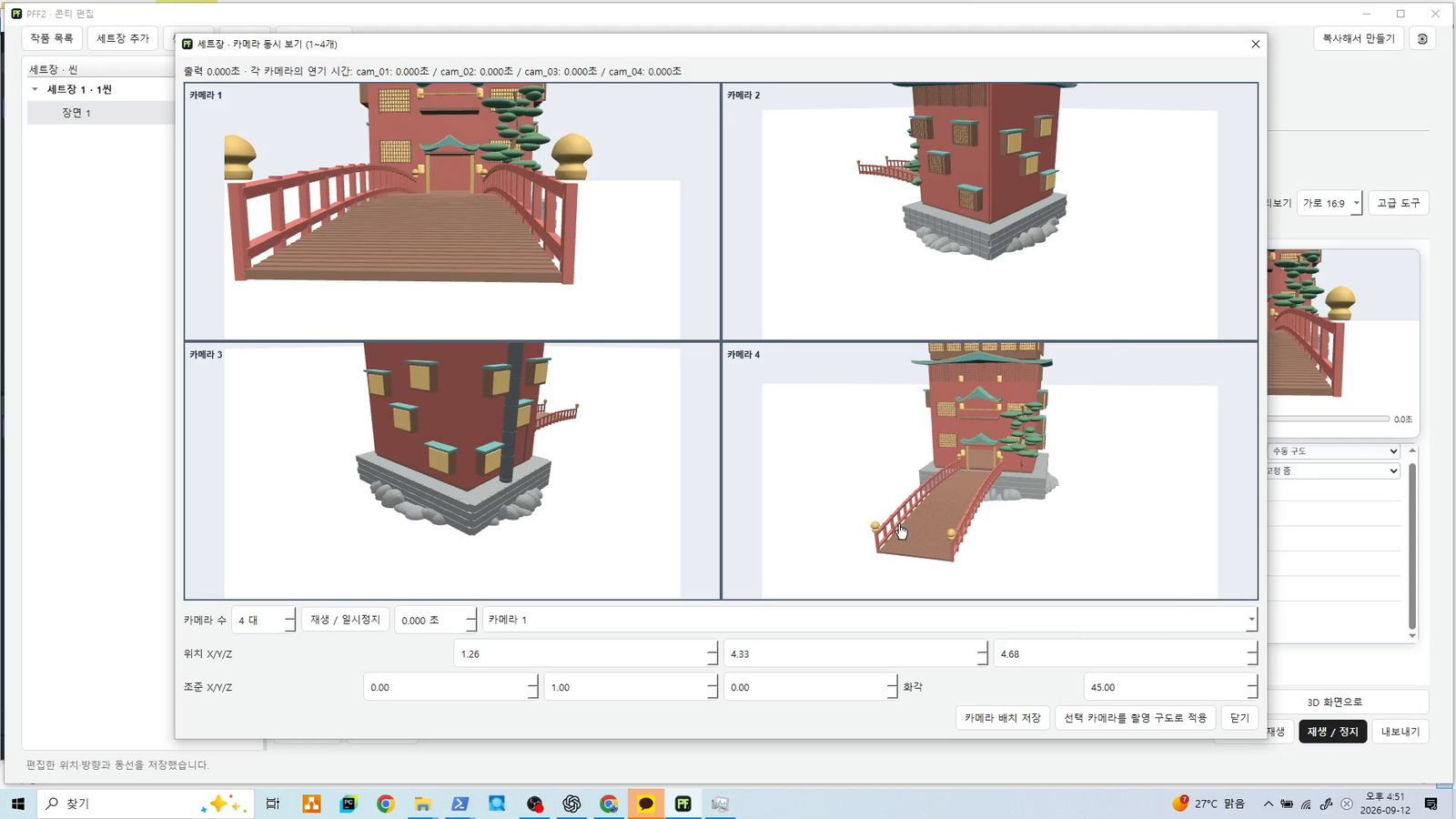
Today’s 30-second video is the first set-setup demo. It shows how a virtual space takes shape, how the camera changes the framing, and how the same set looks from four viewpoints. It’s a first look at a work in progress.
A good-looking video wasn’t the shot I wanted
Watching an AI-generated video appear is exciting. For me, that excitement was often followed by the same thought:
“This isn’t the shot I wanted.”
I could picture where the camera should start, what it should show first, and where the viewer’s attention should go. But when I put that into words, the result kept drifting.
I didn’t need a vaguely “cool shot.” I needed a camera facing a building, a bridge visible in the frame, and an angle that would make a character’s movement easy to read. Add position, direction, distance and timing, and the prompt gets long fast.
I thought more detail would fix it. Instead, I kept rewriting and regenerating, spending more effort holding on to the original idea than exploring it.
What if I could build the frame first?
That was the question that started PF Stage. Rather than translate a space in my head into text, could I work out the frame on screen and then show that intent to a video AI?
At first, I was thinking about storyboarding: plan a scene and check the composition. Then the questions became more practical. What happens when the character moves? Does a building block the action? How does the same moment read from the other side?
The direction became clear: a virtual set where background, character movement and camera choices can be rehearsed together. A place to try a scene and say, “This is how I want it to look.”
What the first 30-second demo shows
For this first demo, I built a set inspired by the bathhouse in Spirited Away. There is no official connection to the film.
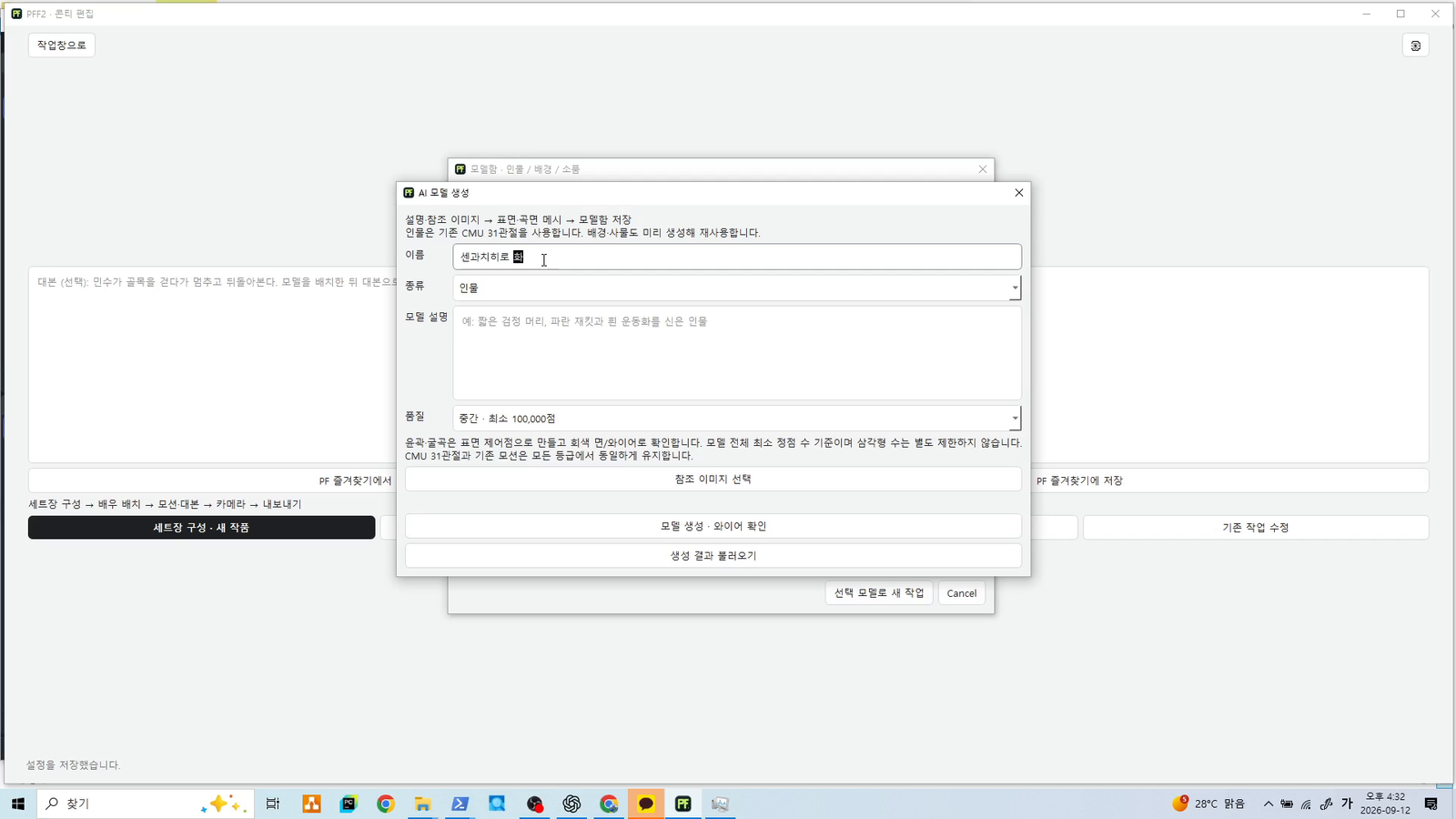
The raw recording was about 20 minutes. This public edit condenses it into 30 seconds, moving quickly through input and set creation so there is more time for camera adjustments and comparing views.
- Input and setup: starting the set.
- Set creation: a sped-up look at the space taking shape.
- Set reveal: exploring it from different angles.
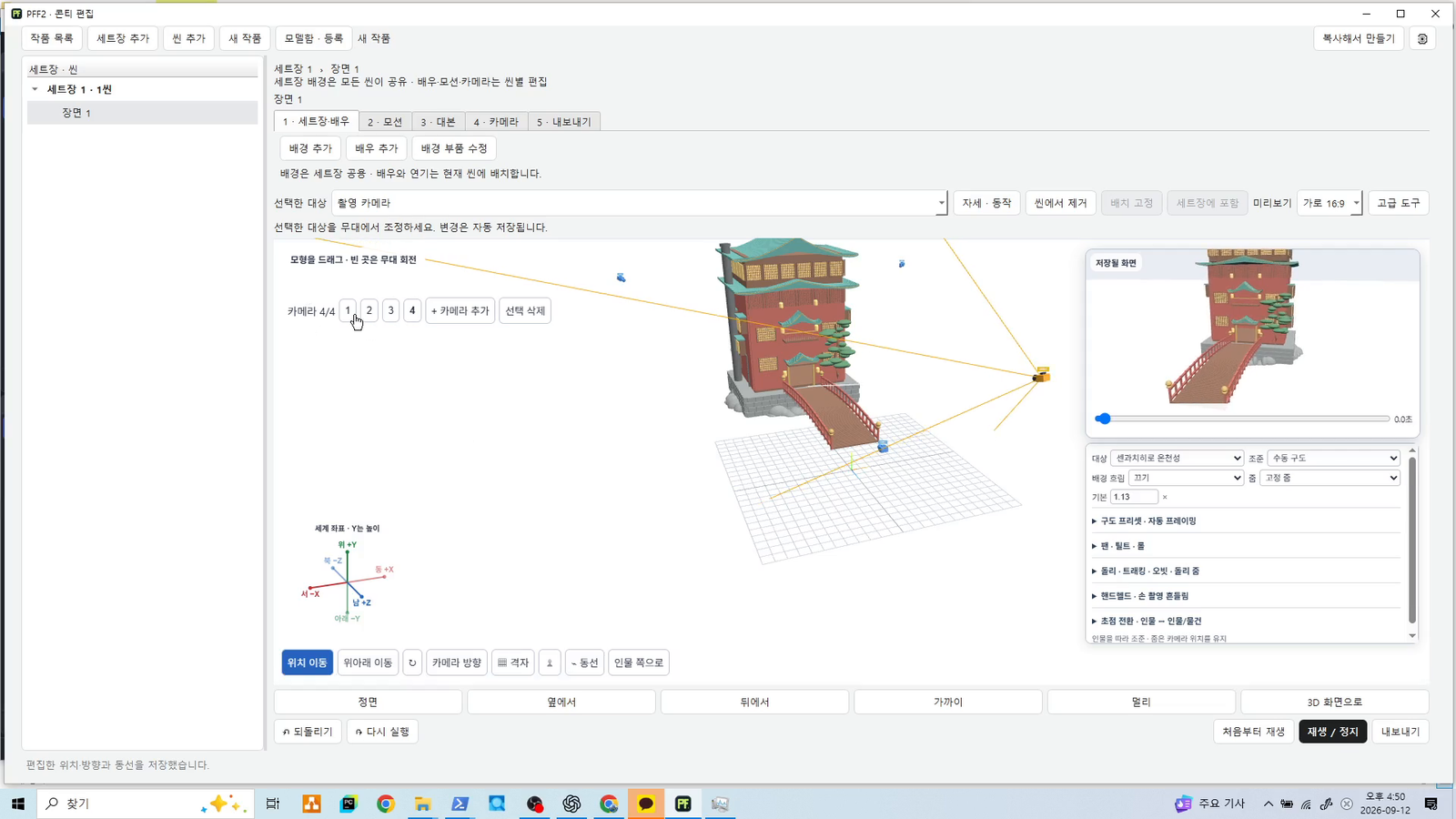
- Camera adjustment: changing position and direction to check the frame.
- Four-view comparison: the same space, side by side from four viewpoints.
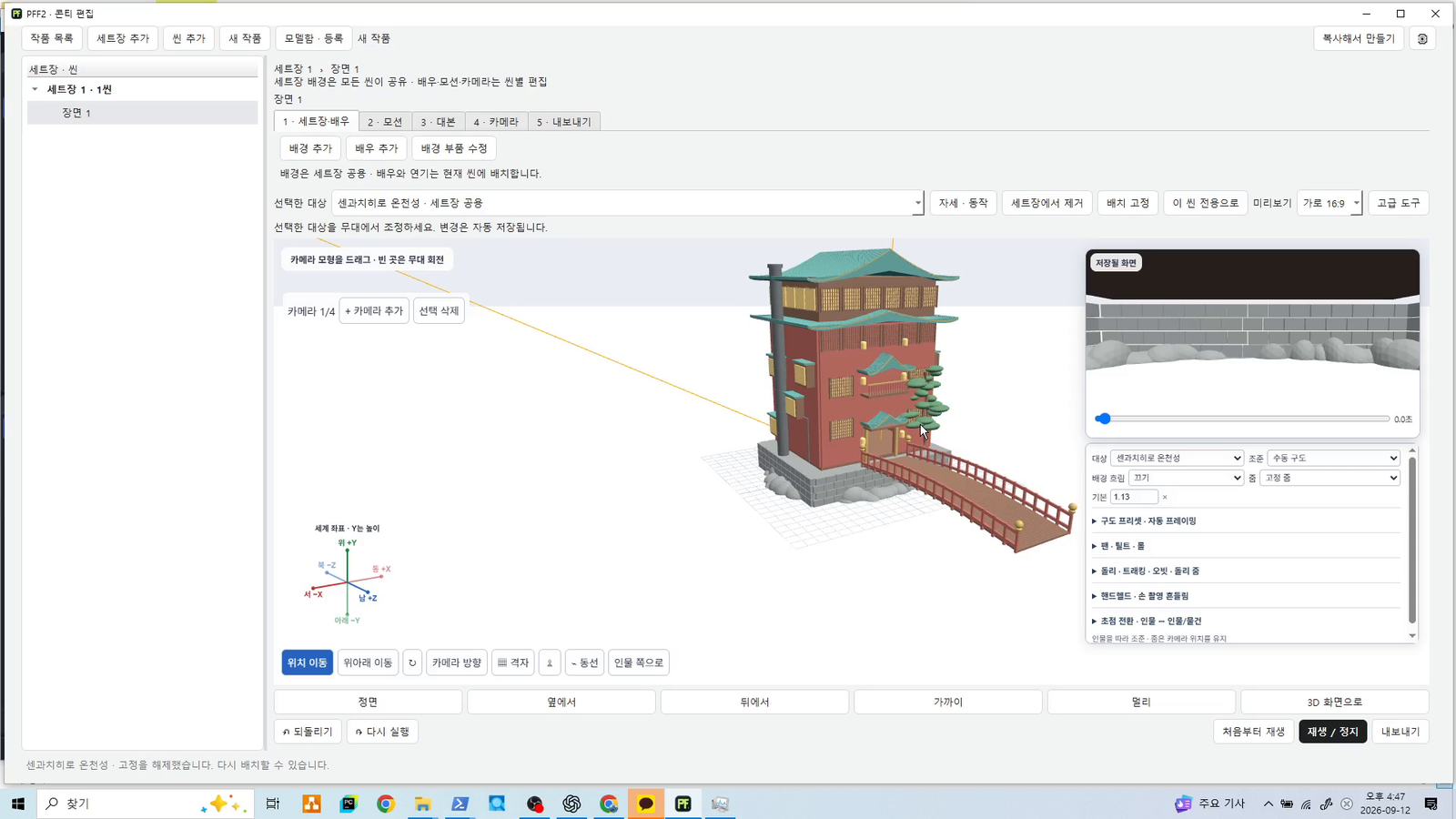
The set stays the same. The shot changes.
The last two steps are the heart of the video. It isn’t just that a set exists; it’s that I can decide how to show it.
From the front, the bridge leads your eye toward the building. From the side, a different part of the layout becomes visible. A wider view tells you how the building and bridge relate to each other.
Describing what is in the background isn’t the same as deciding what the viewer sees first, or from which direction. That distinction is what I kept struggling to communicate.
What’s next: rehearsing movement
Today’s four views compare viewpoints on the same space. They don’t show a finished workflow for filming a moving character with four cameras and choosing cuts.
I’m now working on character-motion rehearsal: put a character on the set, play the intended action, and see how it reads on camera. Multi-camera capture and shot selection come next.
The starting point is still the same: set the view, then show it to a video AI. This demo focuses on the scene setup and camera checks before that handoff, not on finished AI integration results.
Tell me the shot you couldn’t get
I’m sharing this early because I want to hear from other people who have struggled to explain camera direction to an AI video tool.
Was it the starting position? Keeping a moving character in frame? Holding one exact viewpoint? Tell me the scene you were trying to make. Those concrete stories help me understand what PF Stage needs to solve.
I set out to make one promo video for PROMPT FAVORITES. Now I’m building the shots I actually wanted to see.
Coming soon: early access with a 7-day free trial
I’m preparing early access that includes a 7-day free trial. Dates and terms will be shared when they’re ready.
What camera move have you never been able to get right in AI video? Leave a comment about the shot you’re trying to make. If you want to follow the build, stick around.